What is a consulting invoice?
A consulting invoice is the bill a consultant or advisory firm sends for professional advice, analysis and deliverables. Consulting clients are often larger companies with formal approval processes, so a consulting invoice needs to be clear, well organized and easy to match to the engagement and purchase order.
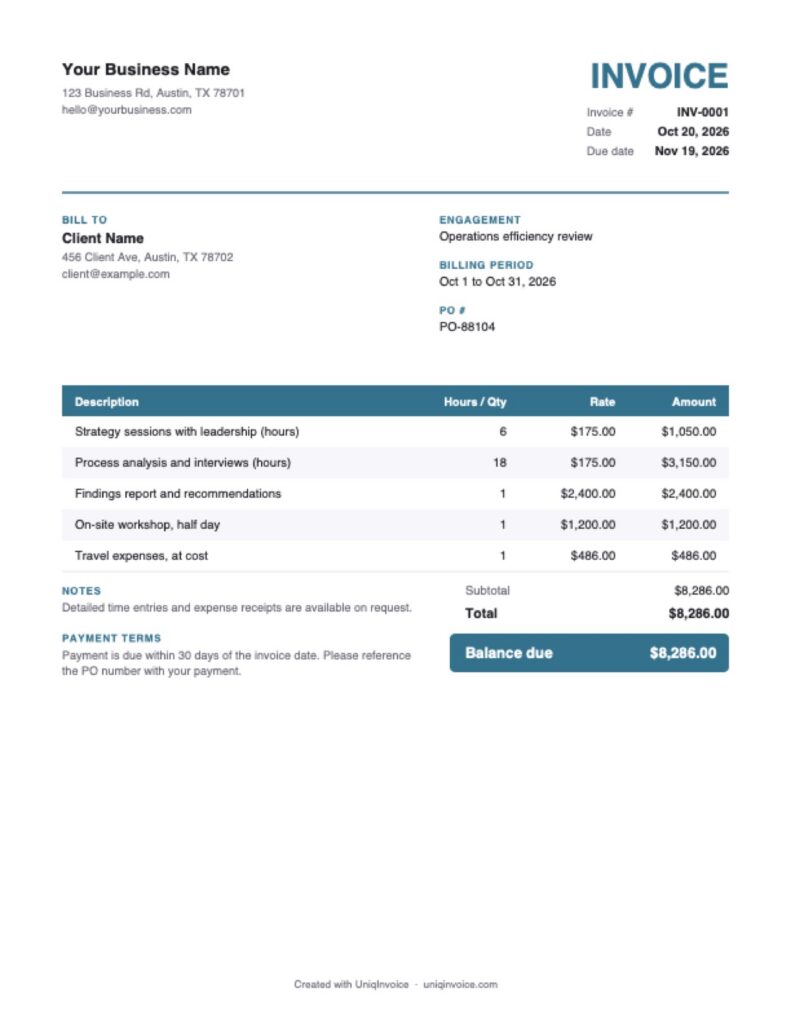
This free template includes the engagement name, billing period and PO number, groups hours by activity, and keeps fees and expenses separate.
What to include on a consulting invoice
- Your details: your name or firm, address, email and phone.
- Client details: the company, the billing contact and the PO number.
- Engagement and billing period: the project and the dates the invoice covers.
- Professional fees: hours by activity with your rate, or fixed fees for deliverables.
- Deliverables: reports, workshops, assessments or plans delivered in the period.
- Expenses: travel, accommodation and other costs agreed in the contract.
- Retainer or prepayments: amounts already paid and applied to this invoice.
- Terms: the due date and payment methods.
How to fill out this consulting invoice template
- Add your logo and contact details.
- Enter the client, engagement name, billing period and PO number.
- Check the invoice number and dates. The due date is set 30 days ahead.
- Edit the fee lines by activity and add any fixed-fee deliverables.
- Add expenses and enter any retainer applied in Amount paid.
- Review the notes and terms, then download the PDF.
Common consulting fee structures
Hourly or daily rates
Simple and flexible, especially in the early stages of an engagement or for advisory work with changing scope.
Fixed fee
A set price for a defined outcome, such as an assessment or a strategy report. Clients value the predictability.
Retainer
A monthly fee for ongoing access to your expertise. Bill it at the start of the month and track usage against it.
Value-based pricing
A fee based on the value of the result for the client. Describe the outcome clearly on the invoice.
How to show retainers on a consulting invoice
Many consultants ask for a retainer before work begins. There are two common approaches. With a prepaid retainer, the client pays an amount up front and each invoice draws it down. List the work as usual and enter the retainer applied in Amount paid, so the client sees the remaining balance. With a monthly retainer, the client pays a fixed fee for access to your time each month, and you bill extra work separately when it goes beyond the agreed hours.
In both cases, tell the client in the notes how much of the retainer is left or how many hours were used. It avoids surprises and makes renewals easier to discuss.
Tips to get paid faster
- Learn the client’s invoicing rules. Ask who approves invoices, what reference numbers they need and where to send them.
- Bill on a regular schedule. Monthly invoices are easier for clients to approve than one large bill at the end.
- Keep supporting detail ready. Time logs and receipts answer questions quickly.
- Follow up before the due date. A quick check that the invoice was received and approved avoids surprises.
UniqInvoice helps consultants send professional invoices, apply retainers, track payments by client and send reminders automatically.