What is a videography invoice?
A videography invoice is the bill a videographer or small video studio sends for a production. A single project usually mixes several kinds of work, from planning and filming to editing and licensing, so the invoice needs to show what each part cost and what the client receives at the end.
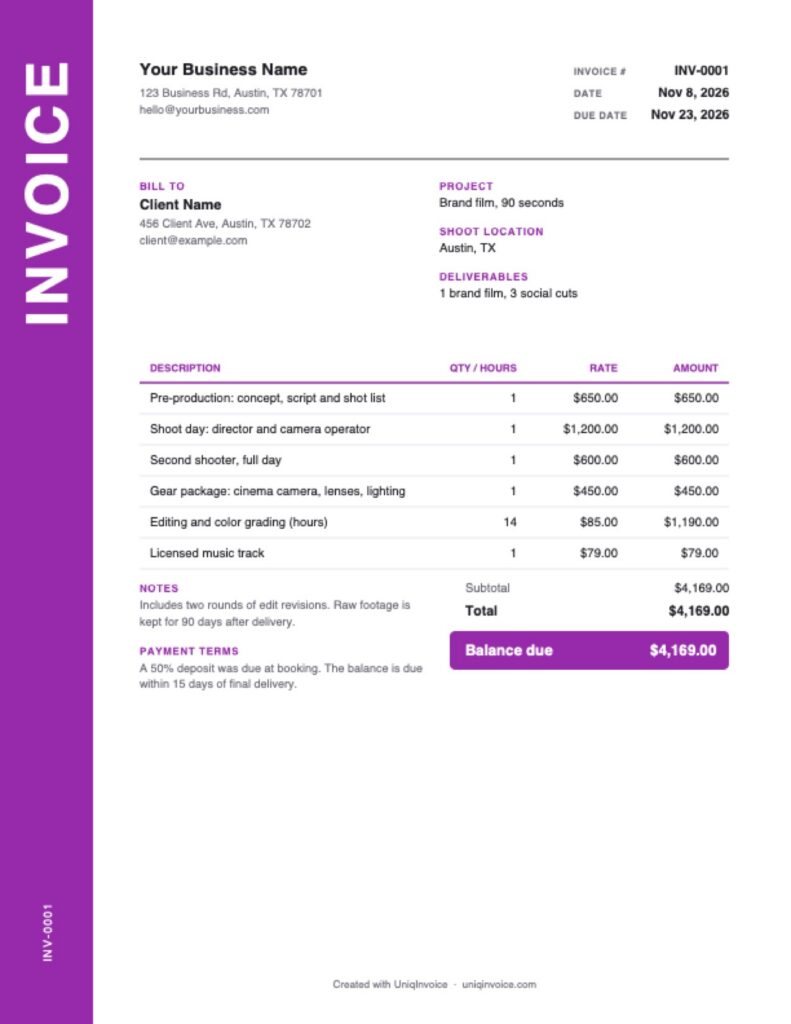
This free template uses a spine layout: the word “INVOICE” runs up a colored strip on the left edge, and the rest of the page stays clean for your line items. It has fields for the project, the shoot location and the deliverables, and it works out the totals for you.
What to include on a videography invoice
- Business details: your name or studio, website, email and phone.
- Client and project: who you are billing and the name of the video or campaign.
- Invoice number and dates: a unique number, the invoice date and the due date.
- Pre-production: concept, scripting, storyboards, location scouting and shot lists.
- Production: shoot days or half days, plus any second shooter, audio tech or assistant.
- Gear: cameras, lenses, lighting, audio and drones, especially if you rent them.
- Post-production: editing, color grading, sound mixing and motion graphics.
- Licenses and deliverables: music or stock footage, and the final files the client gets.
How to fill out this videography invoice template
- Add your logo and business details at the top.
- Enter the client, the project, the shoot location and the deliverables.
- Check the invoice number and dates. The due date is set 15 days ahead.
- Edit the sample lines for pre-production, shoot days, crew, gear and editing hours.
- Enter any deposit in Amount paid so the balance is right.
- Review the notes and terms, then download the PDF.
How videographers price their work
Day and half-day rates
Filming is usually priced by the day or half day, per person on the crew. Overtime past a set number of hours is often billed at a higher rate, so say where a day ends.
Hourly editing
Editing time varies a lot with the amount of footage and the number of revisions. Billing it by the hour, or estimating hours inside a fixed price, keeps that risk visible.
Packages
Wedding, event and social media videographers often sell packages with a set number of shoot hours and finished videos. Add anything outside the package, such as an extra cut or a rush delivery, as its own line.
Revisions, footage and delivery
Most disputes over video invoices are about scope after the shoot. Write the number of included revision rounds in the notes, say how long you keep raw footage, and list the final deliverables in the field at the top. When a client asks for a fourth round of changes or the raw files a year later, the invoice already shows what was agreed, and the extra work can go on a new line without an argument.
Tips to get paid faster
- Take a deposit at booking. It holds the shoot date and covers gear rentals before the shoot.
- Invoice on delivery. Send the invoice with the final files, while the client is happy with the result.
- Separate time from costs. Clients approve gear and license lines faster when they can see them.
- Follow up on the due date. A short reminder is often all it takes.
UniqInvoice helps videographers send invoices from a phone or computer, take deposits by card and send automatic reminders.